
The darkroom for monochrome sensors.
Monocard is a free, open source raw editor for cameras with no color filter on the sensor. It develops one channel, from the sensor data to the print: no demosaic, no white balance, no color conversion. The first camera is the Ricoh GR IV Monochrome.
Download for macOS macOS 13.4 or later, Apple silicon. Notarized. Also for Linux and Windows.
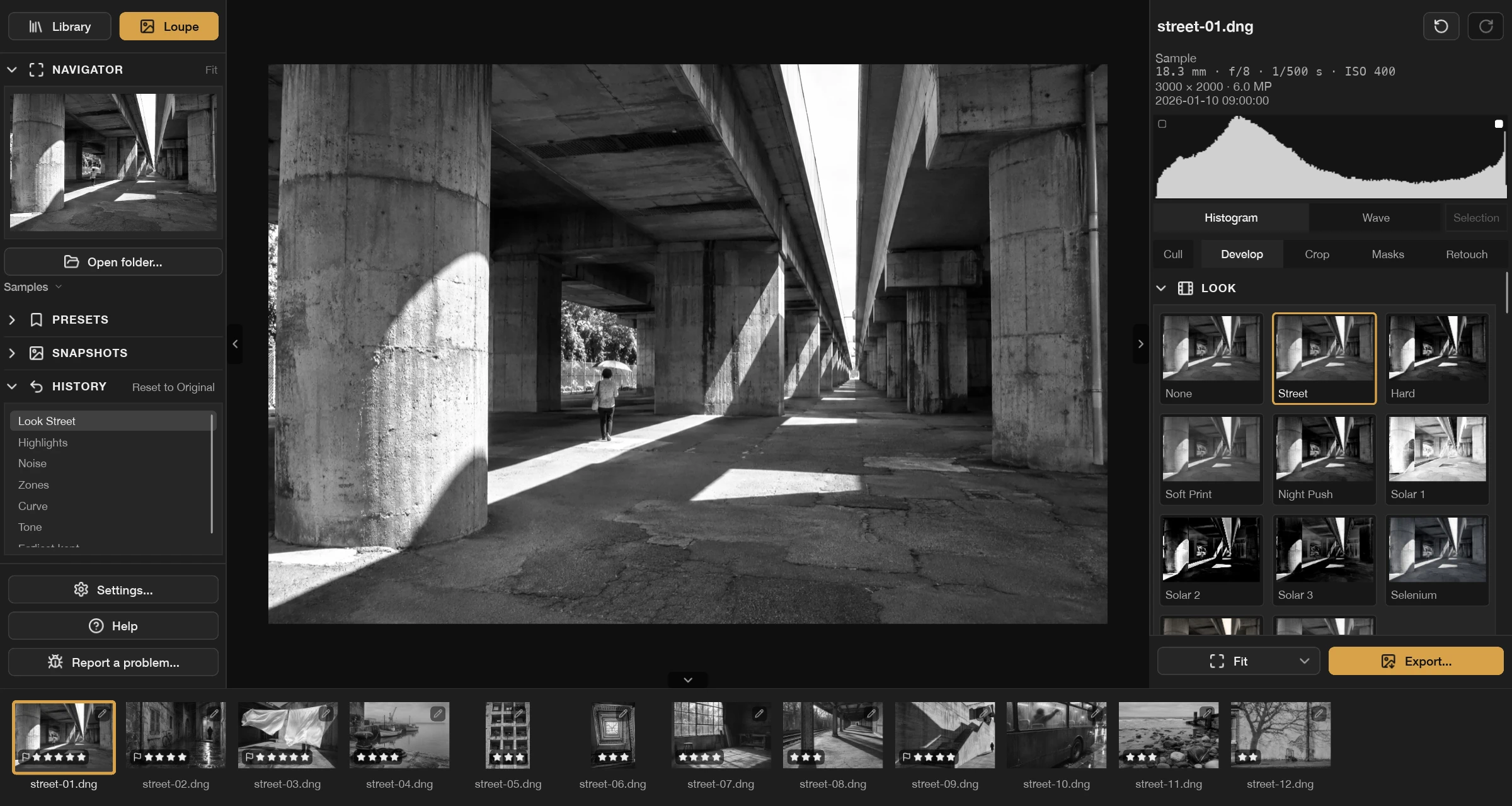
- Develop
- One channel, raw to print. A monochrome camera’s JPEG is edited with the same tools.
- Color
- Color photos are not listed. No color tool is shown anywhere in the window.
- Speed
- A slider redraws in 3 to 6 ms at 26 MP (6192 × 4128) on an M5 Max.
Zone view
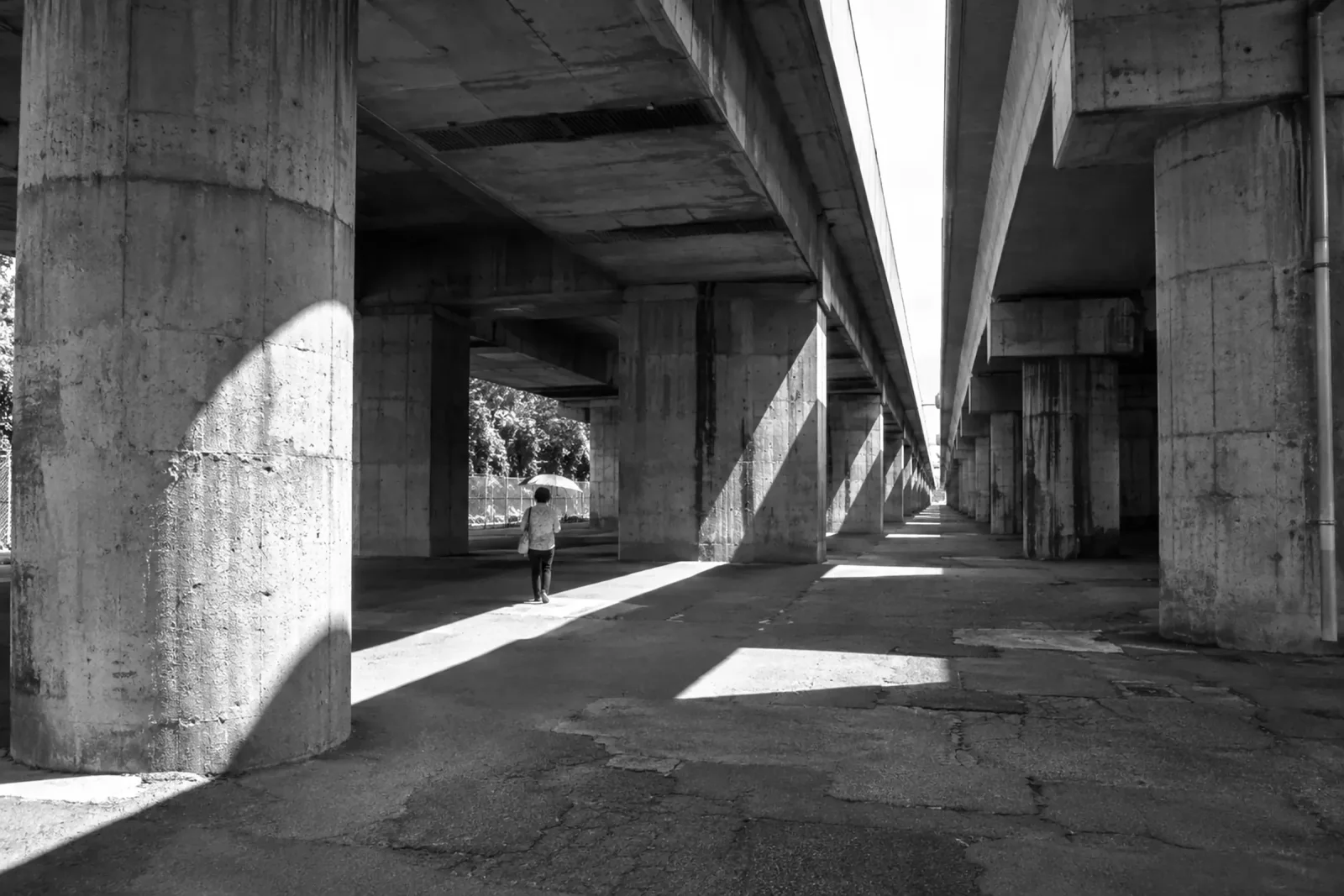
Key Z paints the picture in eleven zones, 0 to X, in equal steps of lightness. Zone V is the 18 % grey card. The scale at the edge of this page is the same one.
Drag the line across the frame. The picture is on its left, its zones on its right. Arrow keys move it when it has focus; a double click puts it back.Drag the line.
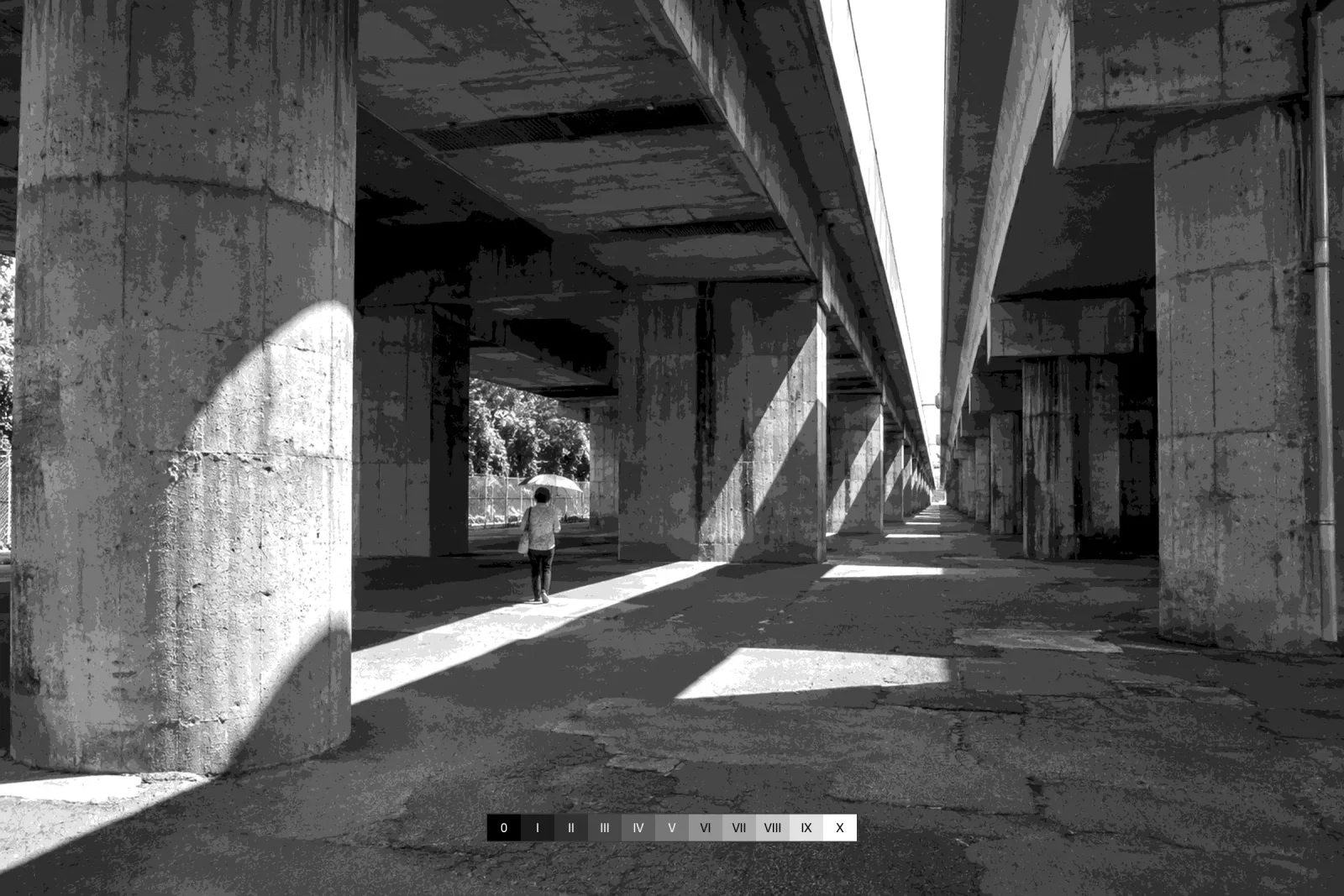
| Zone | 0 | I | II | III | IV | V | VI | VII | VIII | IX | X |
|---|---|---|---|---|---|---|---|---|---|---|---|
| L* | 0 | 10 | 20 | 30 | 40 | 50 | 60 | 70 | 80 | 90 | 100 |
| sRGB | 00 | 1b | 30 | 47 | 5e | 77 | 91 | ab | c6 | e2 | ff |
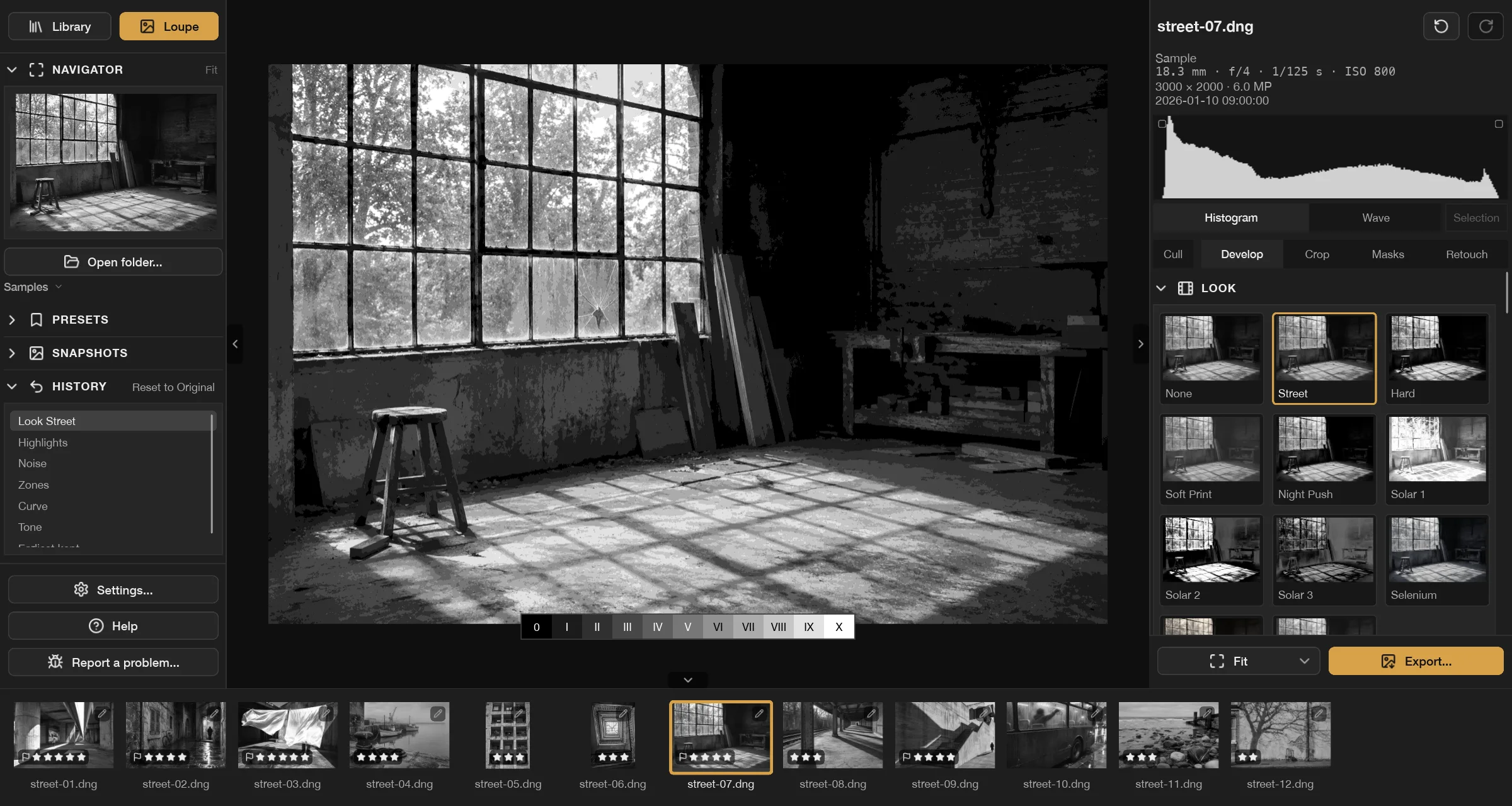
Noise
Denoise works from a noise model of the sensor at each ISO, on the one channel the sensor recorded. A slider keeps part of the sensor’s grain.
- Profiled
- A noise model for each ISO, with non-local means or wavelets.
- Raw wavelets
- Wavelet denoise on the raw data.
- Keep grain
- Leaves a chosen part of the sensor’s grain in the picture.
Tone
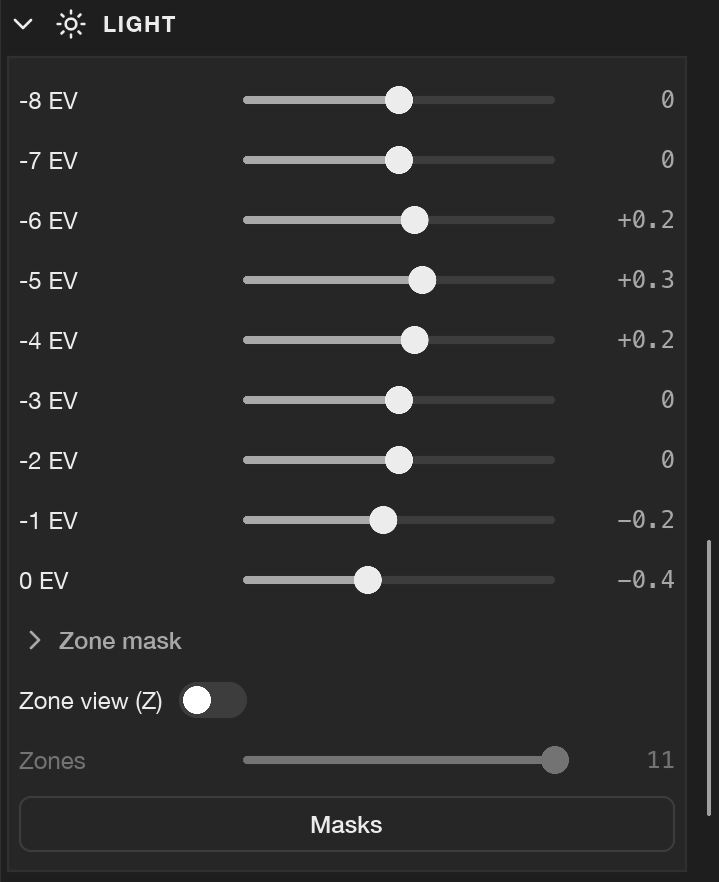
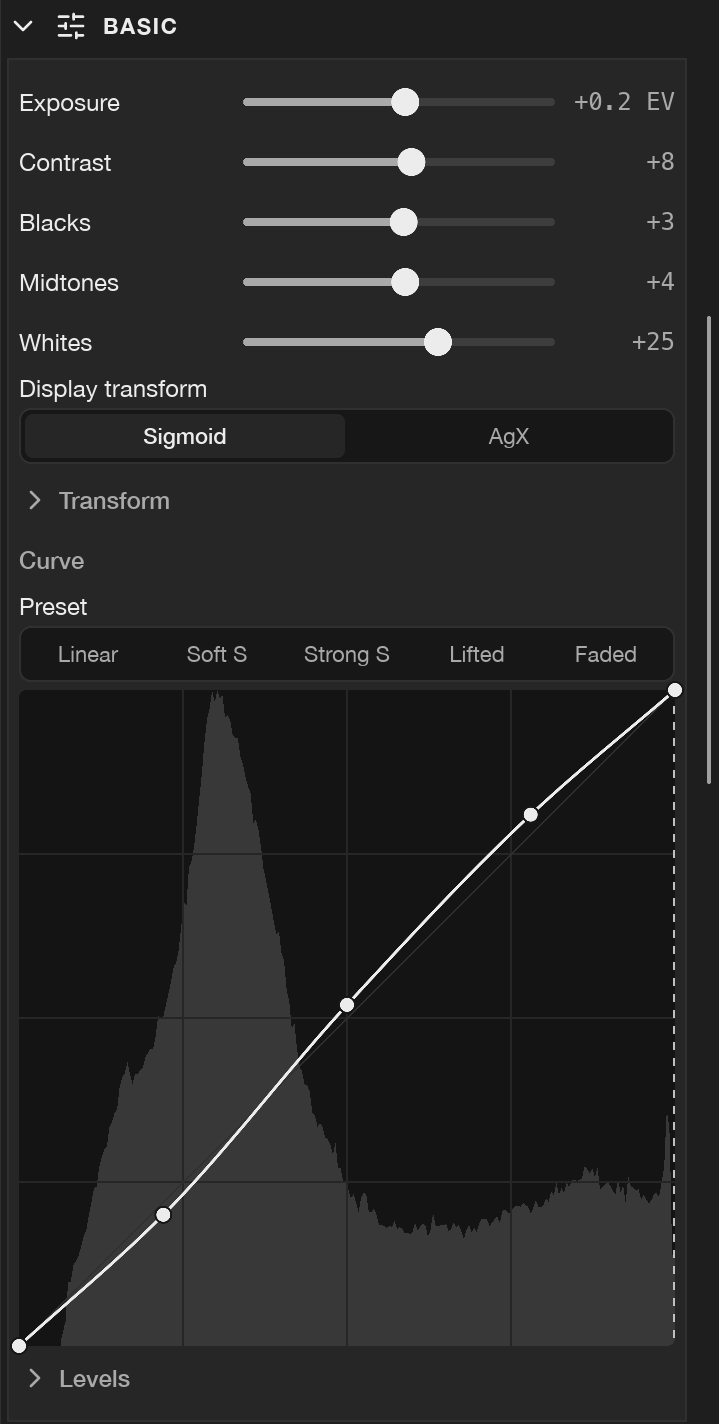
Dodge and burn by zone. The tone equalizer has nine zones, from −8 EV to 0 EV, and follows edges, to avoid halos. The curve and the LIGHT sliders stay on screen.
- LIGHT
- Nine sliders, one a stop, from −8 EV to 0 EV. A zone mask. The zone view switch.
- BASIC
- Exposure, contrast, blacks, midtones, whites. Display transform: sigmoid or AgX.
- Curve
- Drawn over the histogram. Presets: linear, soft S, strong S, lifted, faded.
Detail
Contrast by scale, from fine texture to large forms, and sharpening at the sensor’s pixel pitch.
- Local contrast
- Contrast between neighbouring areas.
- Contrast equalizer
- One control for each scale, from fine texture to large forms.
- Diffuse or sharpen
- Deblurs detail at the sensor’s pixel pitch.
Highlights
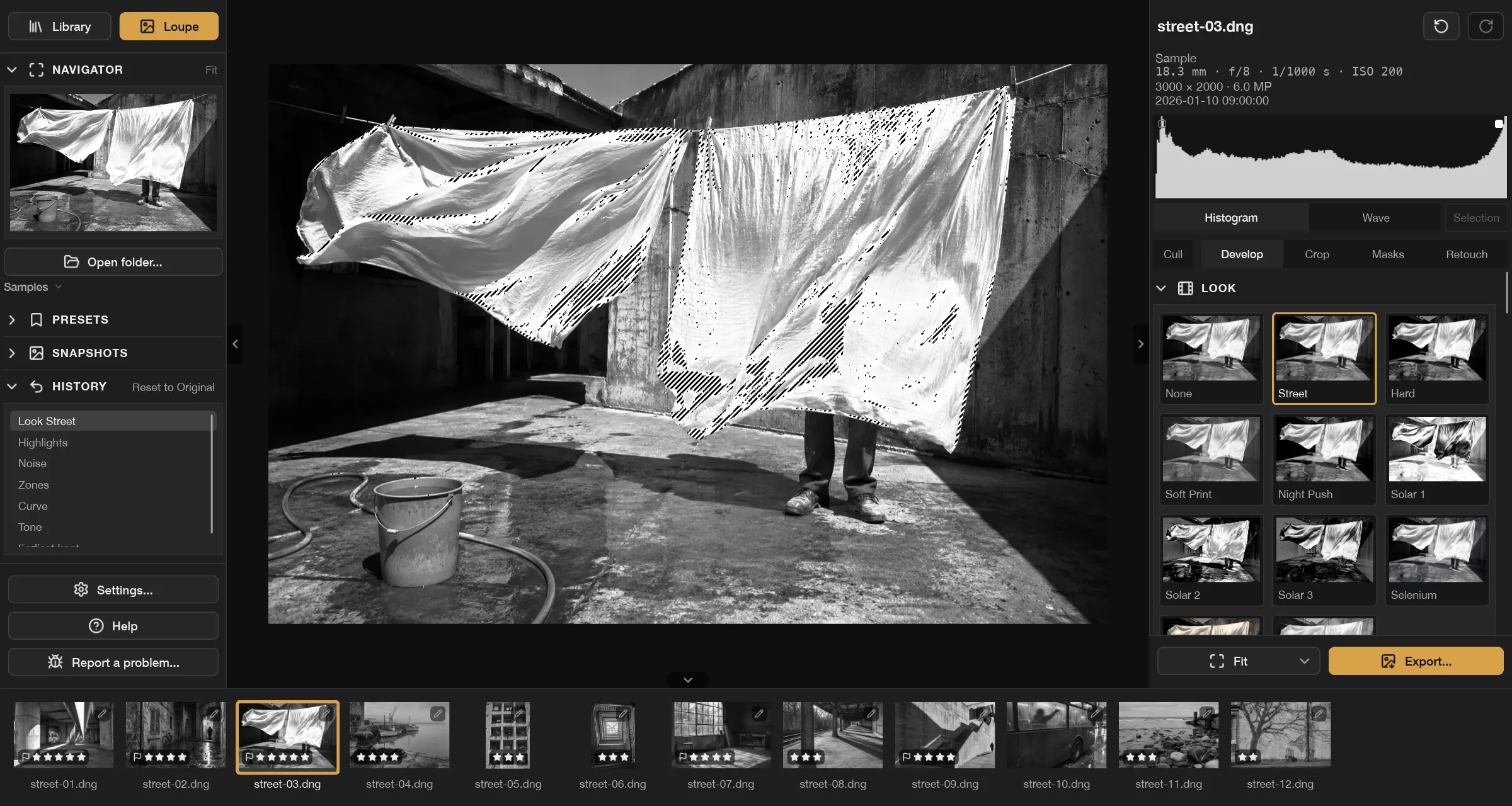
Clipped light is lost. A monochrome sensor has no other channel to take it from. Monocard shows what the sensor clipped and shapes the way into white.
- Clip map
- Key C marks what the sensor clipped, apart from what the display clips.
- Shoulder
- A roll-off into white under the clip point.
- Bracket merge
- Merges 2 to 5 frames of one scene to keep more range.
Masks
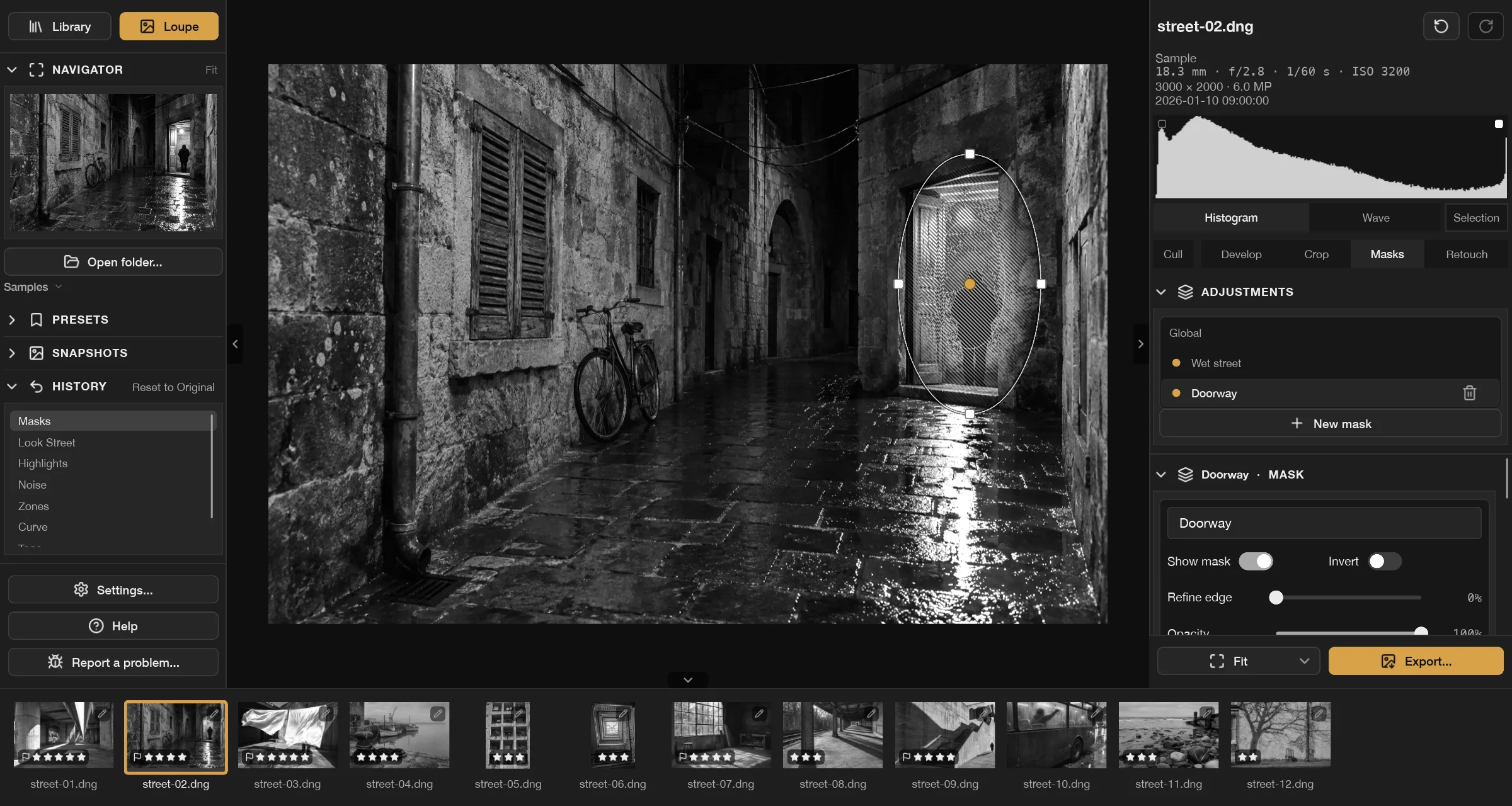
Five kinds of mask. Each drives exposure, the tone equalizer, the curve and local contrast.
- Brush
- Painted by hand.
- Gradient
- A straight line, or an ellipse.
- Luminance
- A range of tones.
- Subject
- Found by a model.
- Sky
- Found by a model.
Looks
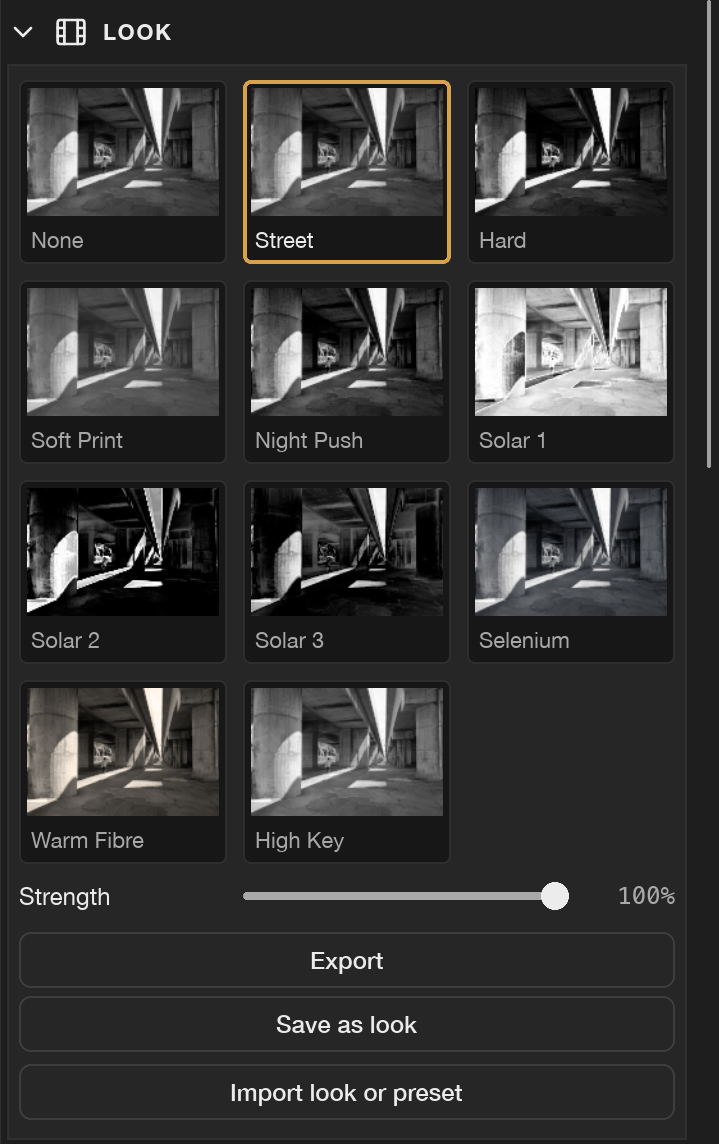
Ten looks, each a small text file, each editable after it is applied. Grain follows the tones. Toning and solarize are part of a look.
The frame below is one picture in eleven bands: no look, then the ten looks, in the order of the LOOK panel.
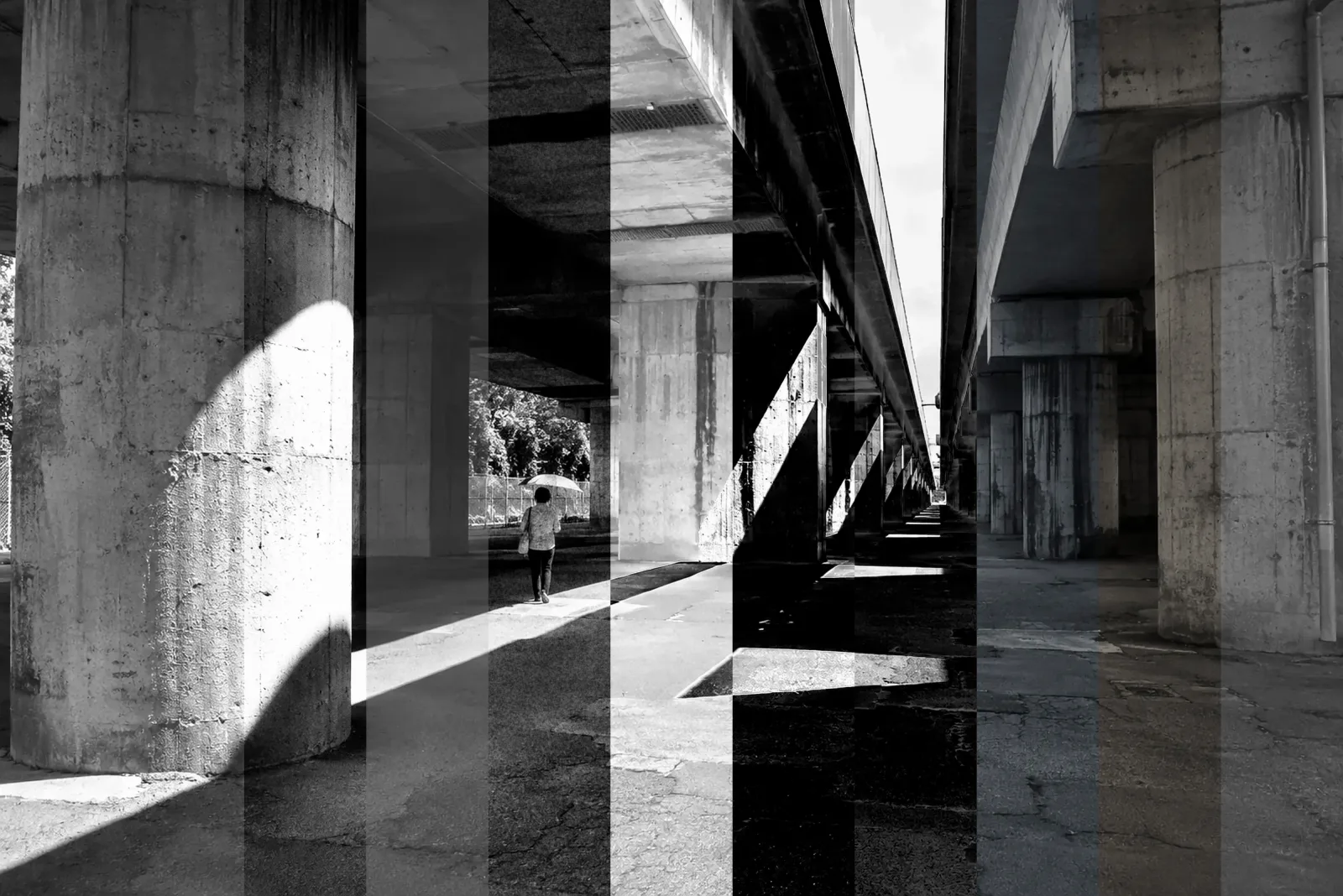
| Band | Look | What it does |
|---|---|---|
| 0 | No look | The develop alone. |
| 1 | Street | Neutral, full tonal range, a gentle shoulder. |
| 2 | Hard | Deep blacks, strong midtone contrast, fine grain. |
| 3 | Soft Print | Lifted blacks, paper white at 0.94, low contrast. |
| 4 | Night Push | Pushed film, for ISO 12800 and up. |
| 5 | Solar 1 | Tone reversed about the middle. |
| 6 | Solar 2 | Tone reversed at both ends. |
| 7 | Solar 3 | Tone reversed in the shadows. |
| 8 | Selenium | A cool tone in the shadows only. |
| 9 | Warm Fibre | A warm paper tone across the picture. |
| 10 | High Key | Bright and airy, few true blacks. |
| Solar 1 to 3 are drawn curves. The camera’s own Solarized modes are fitted separately: see Camera modes. | ||
Camera modes
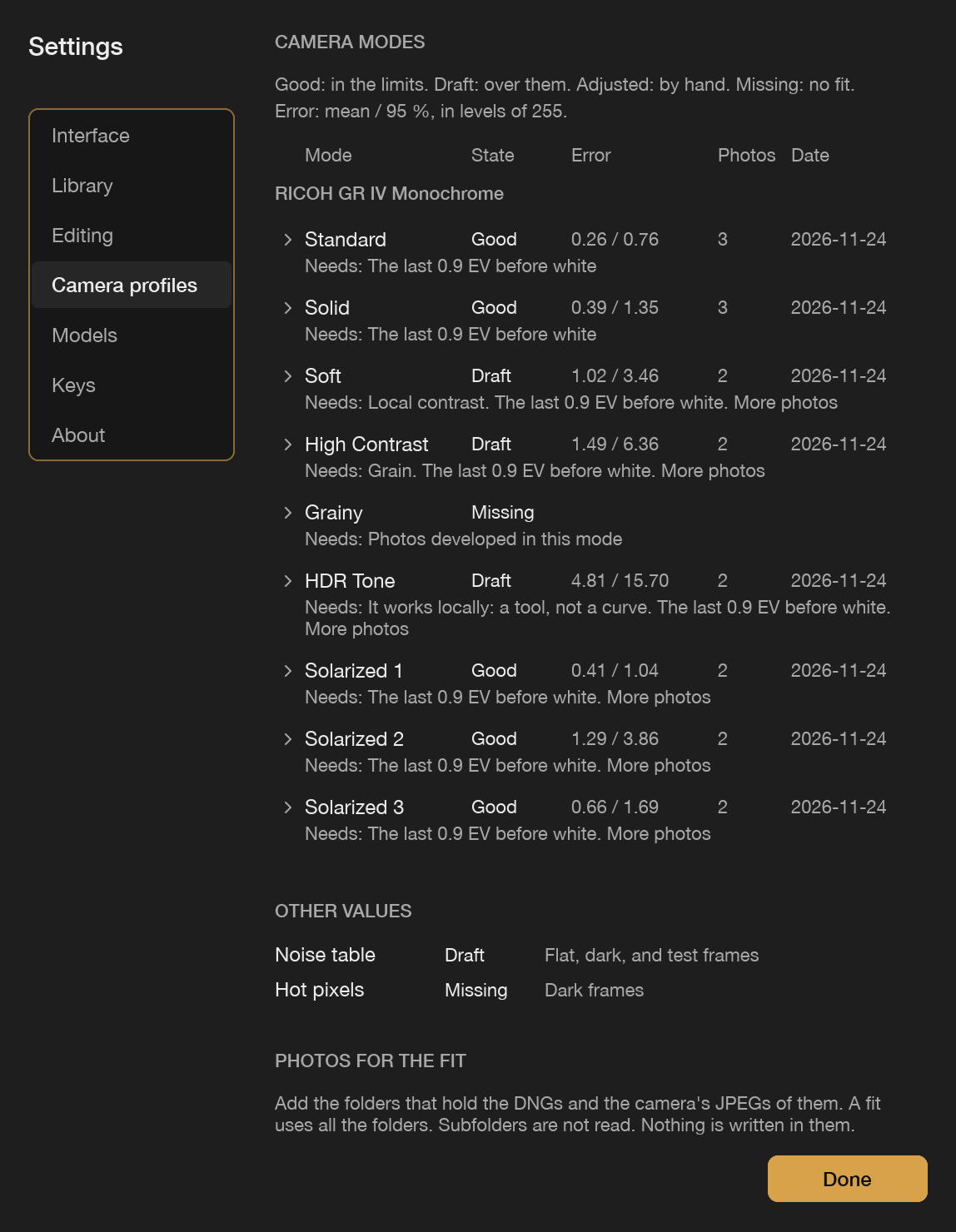
The camera’s own picture modes, as looks. Monocard reads the mode from the file. Each mode is fitted from pairs of a raw and the camera’s JPEG, and kept in a profile table with a test chart.
| Mode | State |
|---|---|
| Standard | Good |
| Solid | Good |
| Solarized 1 to 3 | Good |
| Soft | Draft |
| High Contrast | Draft |
| HDR Tone | Draft |
| Grainy | Missing: no photos yet |
| Good: fitted from real photos, within the limits. | |
Camera window
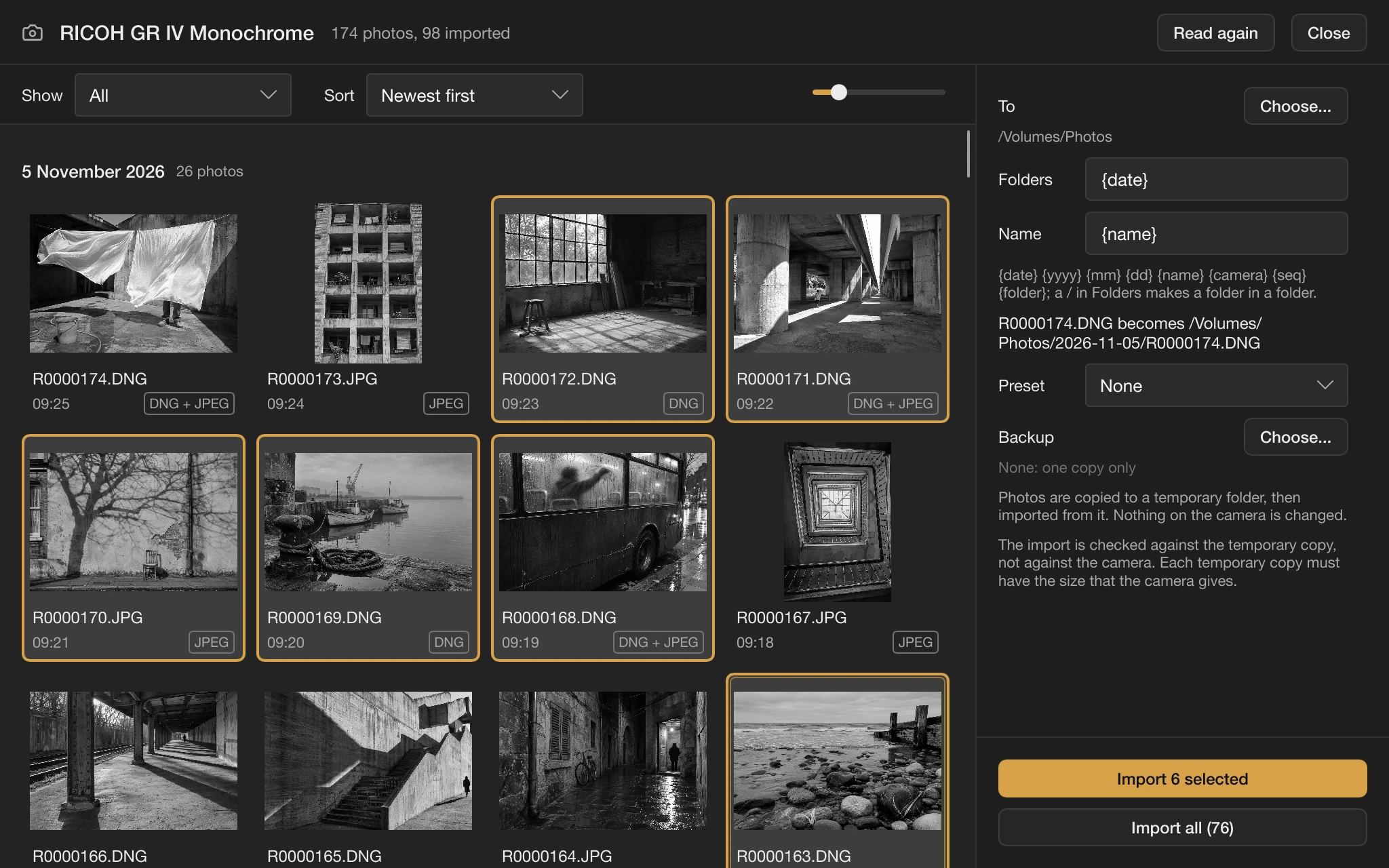
Connect the camera by USB and its window opens. It shows the photos on the camera in a grid, by day. Select the ones to keep and import them.
- Opens
- When a camera is connected, or from the menu.
- Import
- The selected photos only.
- Delete
- Nothing is deleted on the camera. There is no delete button.
- System
- macOS.
Output
A picture that is not toned leaves as a grey file, one channel. The proof shows it within the white and the black of a paper.
- Files
- Grey JPEG, 16-bit grey TIFF.
- Paper proof
- Matte, baryta, newsprint.
- Sidecar
- The edit is kept beside the photo, in
IMG.DNG.mcd. - Command line
monocarddevelops files with no window.


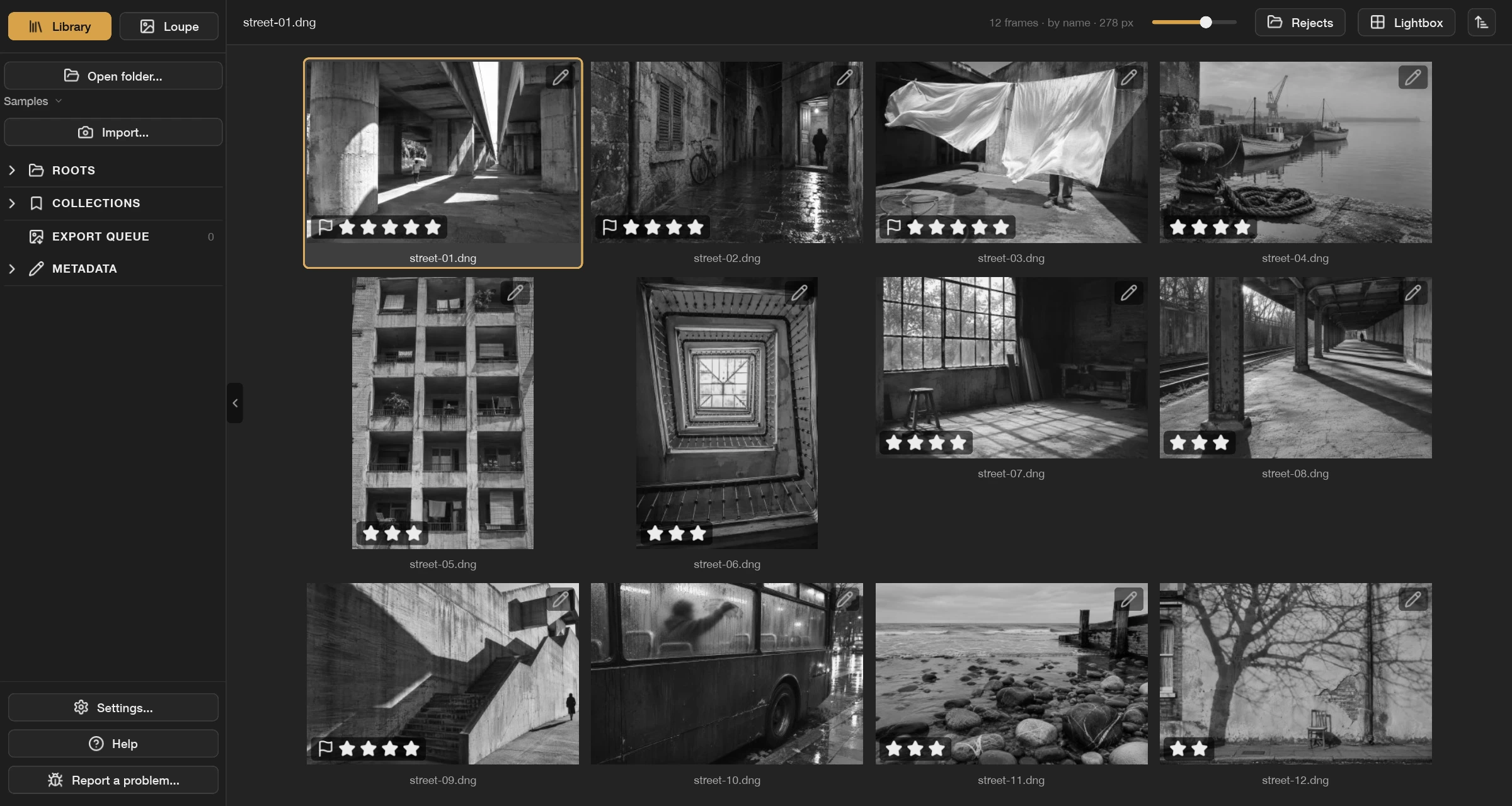
Four pictures developed in Monocard and exported as grey files.
Limits
- The noise profile for the Ricoh GR IV Monochrome is not calibrated.
- The learned denoiser is not trained. The profiled and the wavelet denoisers work now.
- Clipped light is lost. Monocard shapes the way into white.
- Three camera modes are drafts: Soft, High Contrast and HDR Tone. Grainy has no fit yet.
- The Linux and Windows versions are new and little tested. Import from the camera by USB is for the Mac only.
Download
Download for macOS macOS 13.4 or later, Apple silicon. Notarized.
- macOS
- Disk image. macOS 13.4 or later, Apple silicon. Notarized.
- Windows
- Zip. Windows 10 or later, 64-bit Intel or AMD. Not signed, so Windows asks before the first start.
The Linux and Windows versions are new and little tested.
Source
Monocard is free and open source, under GPL-3.0. The code and the build notes are on GitHub.